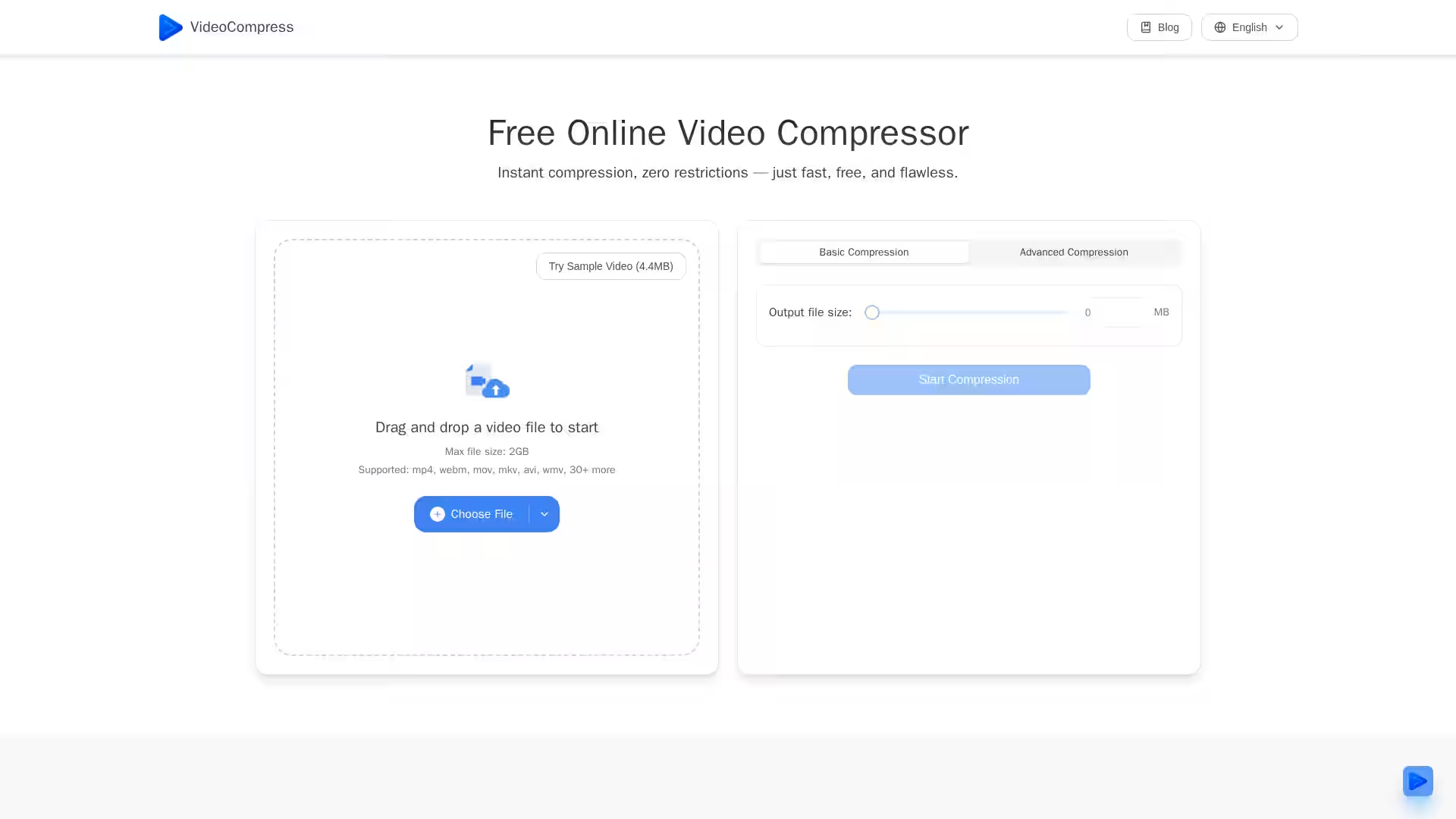
VideoCompress is a powerful, free, cloud-based video compression tool that enables users to significantly reduce the size of their video files without sacrificing visual quality. Designed for speed, simplicity, and security, VideoCompress offers both basic and advanced compression modes, making it ideal for personal, professional, and enterprise use. With no software installation required, you can compress videos up to 2GB directly in your browser—whether on desktop or mobile—using its cutting-edge H.265/HEVC encoding technology.
VideoCompress is trusted by companies worldwide, from startups to large organizations, to streamline video workflows, optimize storage, improve upload times, and ensure content is ready for distribution across any platform. It’s the go-to choice for marketers, educators, content creators, and businesses aiming to share, store, and manage video efficiently.
Key Features
1. Instant Online Compression
Compress your videos instantly with a user-friendly drag-and-drop interface.
No sign-ups, watermarks, or restrictions—completely free to use.
2. Advanced H.265/HEVC Encoding
Utilizes state-of-the-art compression algorithms to achieve up to 80% file size reduction.
Maintains exceptional visual quality, even for 4K UHD content.
3. Secure End-to-End Encryption
All uploads, processing, and storage are protected with encryption.
Ensure output meets quality expectations prior to downloading.
7. Cloud-Based Processing
Compression happens on secure cloud servers—no local CPU or memory usage.
Ideal for large video files and resource-intensive tasks.
8. Mobile-Friendly
Works seamlessly on iPhone and Android.
Upload, compress, and download directly from your mobile browser.
Use Cases
1. Marketing & Social Media
Marketing teams often need videos optimized for various platforms. VideoCompress enables quick reduction of file sizes, improving upload times while maintaining quality. This ensures smooth campaign execution without running into file size limits.
2. Content Creation & Streaming
Creators can compress large video files for faster streaming or upload without losing high-definition clarity. Perfect for YouTubers, Twitch streamers, and social media influencers.
3. Education & Training
Educators and trainers can compress lesson recordings, presentations, and tutorials to make them easier to share with students, reduce storage costs, and speed up distribution.
4. Corporate Communication
Businesses use VideoCompress to optimize internal communications like training videos, product demos, and town-hall recordings, significantly improving upload and download efficiency.
5. Storage Optimization
Organizations dealing with large video archives can reduce storage usage by 70–80%, saving costs on cloud storage and contributing to eco-friendly practices.
6. Event Coverage & Media
Event coordinators, journalists, and PR teams can quickly compress raw footage for faster sending to editors, media outlets, or clients.
FAQ
Q: Can I use VideoCompress on my phone?
A: Yes! VideoCompress is fully responsive for mobile devices. You can upload and compress videos directly from your mobile browser in a few taps.
Q: How does VideoCompress work?
A: The compression process runs entirely on secure cloud servers. Your local resources aren’t used, making it fast and lightweight. All processed files are deleted after completion to protect your privacy.
Q: Will my video quality drop after compression?
A: VideoCompress uses intelligent bitrate management and H.265 encoding to maintain clarity while reducing size.
Q: Is there a file size limit?
A: You can compress videos up to 2GB. For larger files, you can split them into smaller segments or use batch mode.
Q: Is VideoCompress really free?
A: Yes—there are no hidden costs, watermarks, or limits. Compress as many videos as you need.
Q: Can professionals rely on it?
A: Absolutely. From marketing teams to educators and content creators, the results are high-quality, platform-ready, and fast.
Q: Do I need to install anything?
A: No. VideoCompress runs entirely online in your browser on Windows, Mac, iPhone, and Android.
With VideoCompress, anyone can compress videos up to 80% while preserving sharpness and detail—without spending money or downloading software. Whether you're preparing a video for social media, archiving company records, or sending a quick clip via email, VideoCompress is the ultimate tool for hassle-free, high-quality video optimization.