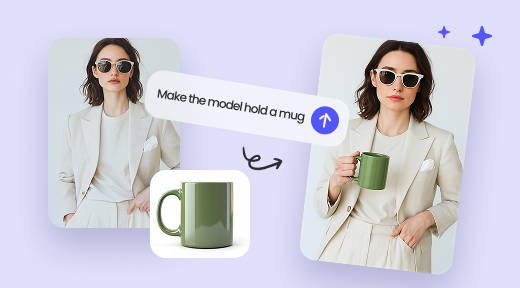
TinyArt is a comprehensive AI-powered photo and design platform that enables users to create stunning visuals without any complex design skills. Whether you need to edit photos, generate images from text, remove backgrounds, or upscale image resolution, TinyArt brings professional-grade tools directly to your browser. Trusted by over 50,000 users and supporting 50+ mini apps along with 30+ AI models, TinyArt is designed to streamline your creative workflow for e-commerce, social media, marketing, and personal projects alike. With its intuitive interface and diverse feature set, TinyArt empowers creators to transform ideas into captivating artworks quickly and efficiently.
Key Features
AI-Based Image Generator: Create unique images from simple text prompts using advanced AI models, helping you visualize concepts instantly.
Background Remover: Automatically isolate subjects by removing backgrounds, enabling you to produce professional product photos or social media content with ease.
Image Upscaler: Enhance image resolution without loss of quality, perfect for printing or improving web visuals.
Watermark Remover: Clean visuals by effortlessly eliminating unwanted watermarks from images.
Clean Up Tool: Remove unwanted objects or imperfections from photos for flawless compositions.
Mini Apps Suite: Access utility apps such as ID Photo creator, photo restoration for damaged images, face swapping, and more.
Playground & Prompts: Experiment and customize with advanced AI models and creative prompts for tailored results.
Batch Processing: Process up to 30 files simultaneously, significantly reducing manual editing time.
User-Friendly Interface: Designed for creators of all skill levels, no design experience required.
Community Showcase: Gain inspiration from artworks created by the vibrant TinyArt user community.
E-commerce: Quickly produce clean product photos by removing backgrounds and enhancing image quality to attract customers.
Social Media Marketing: Design eye-catching posts, thumbnails, and logos that stand out and boost engagement.
Creative Professionals: Save time in the creative workflow by automating routine photo edits, object removals, and watermark cleaning.
Content Creators & Influencers: Generate unique images, custom thumbnails, and perfect visuals to enhance brand identity.
Photography Restoration: Restore old and damaged photos with AI-powered repairs.
ID Photos: Create professional-standard identification photos without visiting a studio.
FAQ
Q: Do I need design skills to use TinyArt?
A: No, TinyArt is built for users of all experience levels. Its AI-powered tools simplify complex edits.
Q: Is TinyArt free to use?
A: Yes, you can start for free with no credit card required and cancel anytime.
Q: Can I process multiple images at once?
A: Yes, TinyArt supports batch processing up to 30 images simultaneously.
Q: What types of images can I create?
A: Generate photos, posters, logos, YouTube thumbnails, and much more using the AI image generator.
Q: How does TinyArt save time and costs?
A: Automating manual photo editing tasks reduces hours of work and can cut photo editing costs by up to 90%.
Q: Is TinyArt suitable for business use?
A: Absolutely. Thousands of creators and businesses rely on TinyArt for professional-quality brand visuals.
TinyArt revolutionizes creative workflows by combining powerful AI with user-friendly design, making professional-level photo editing and graphic design accessible to everyone.